Your order,
live from production.

When you approve a quotation, a dedicated portal account is opened for you. Fed by real production data, it lets your purchasing, quality and engineering teams see the same record: which stage the order is at, which document is ready, which welder worked on it.

portal.armaweld.com
ArmaWeld customer portal screen: Dashboard

Actual portal screens · demo account data

01 / How it works

Not phone traffic — a single source of truth.

01

Your account is opened

When you approve the quotation, a portal account is set up for your company; colleagues are added with role-based access.

02

Production data flows in

Every work order opens with a digital serial number; material, WPS, welder, NDT and dimensional records reach the portal during production.

03

You follow along

Your order's place on the 7-stage line, the estimated delivery and any delay risk are visible weeks ahead, not on shipping day.

04

The file stays ready

After delivery the full quality file and after-sales records stay in the archive, ready to present in one click during an audit.

02 / The portal, screen by screen

What will you see in the portal?

Actual portal screens · demo account data

portal.armaweld.com
ArmaWeld customer portal screen: Dashboard
01 / 09

Dashboard

The moment you log in, a summary of all your orders is in front of you.

  • Counts of orders in production, ready to ship, completed and in total
  • “Action required” list: items awaiting your approval and delivery confirmations
  • One click from any card to the related order
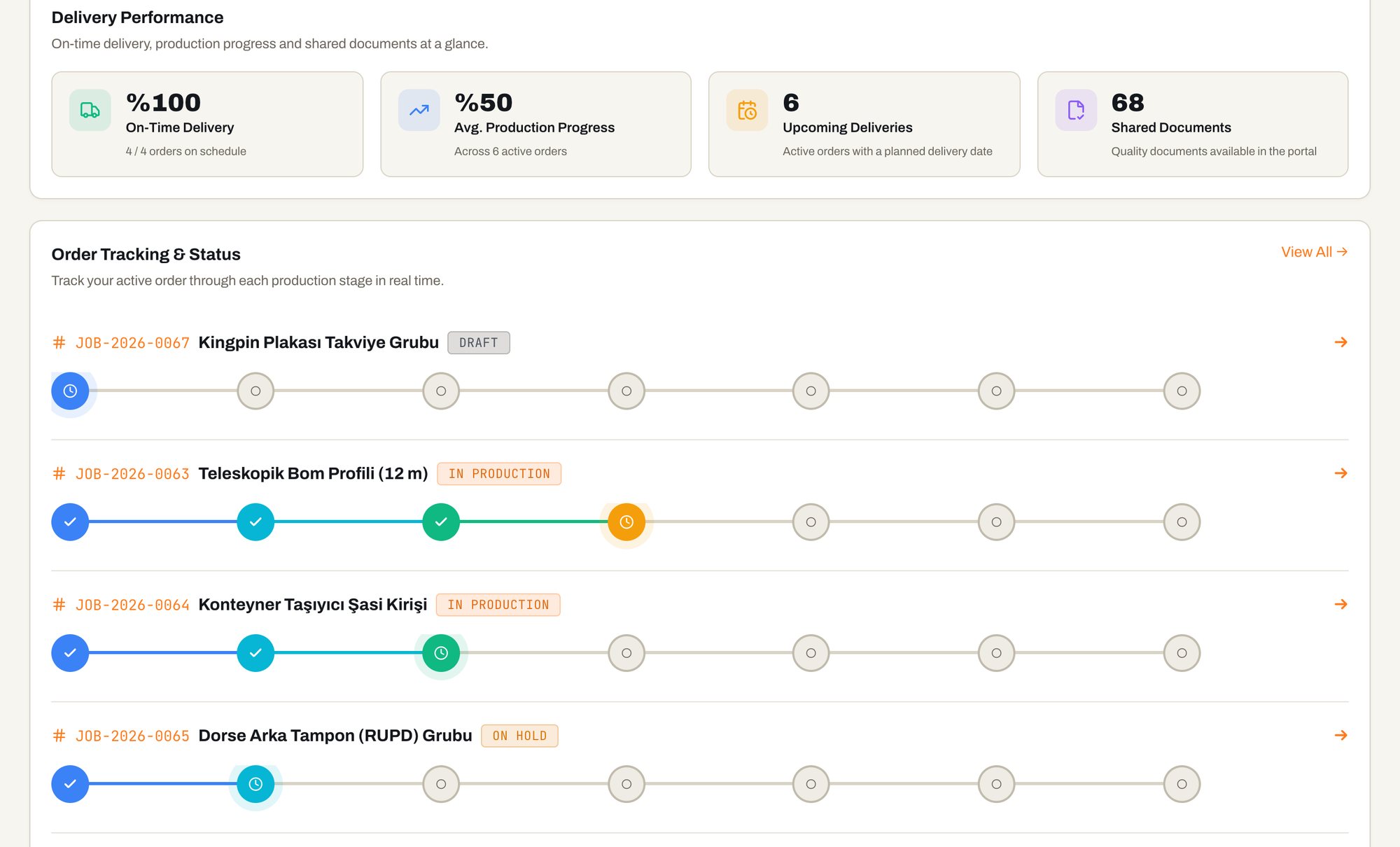
portal.armaweld.com
ArmaWeld customer portal screen: Delivery performance and live order tracking
02 / 09

Delivery performance and live order tracking

The production stages of your active orders are shown in real time on a colour-coded line.

  • On-time delivery rate, average production progress and upcoming deliveries
  • A 7-stage line for every order: completed, in-progress and pending stages
  • In production, completed and cancelled statuses at a glance
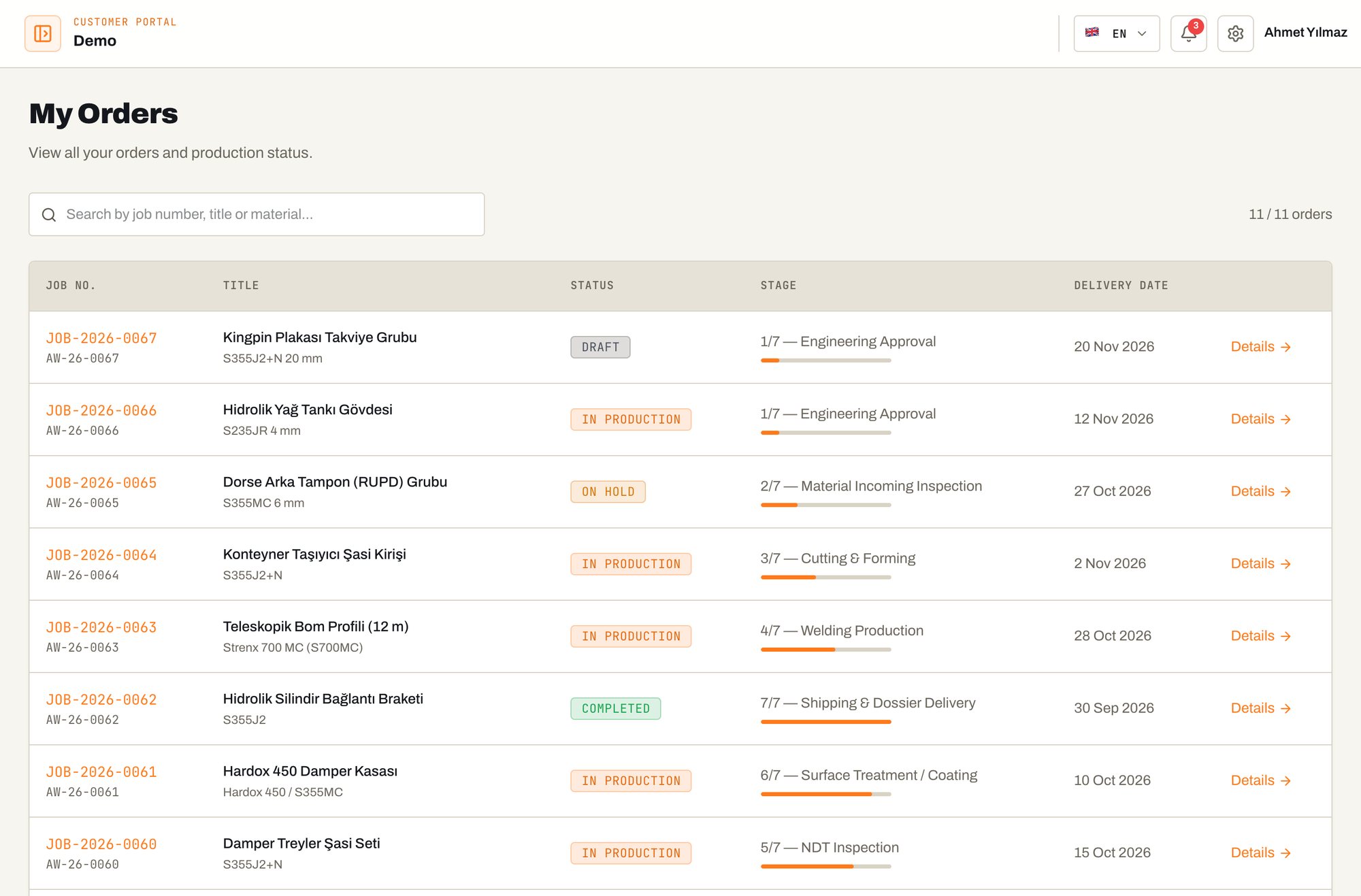
portal.armaweld.com/siparisler
ArmaWeld customer portal screen: My orders
03 / 09

My orders

All your orders in one list; search by order number, title or material.

  • Order and serial number, title and material grade
  • Status and stage, e.g. “6/7 — Surface treatment / painting”, with a progress bar
  • Delivery date and a link to the order detail
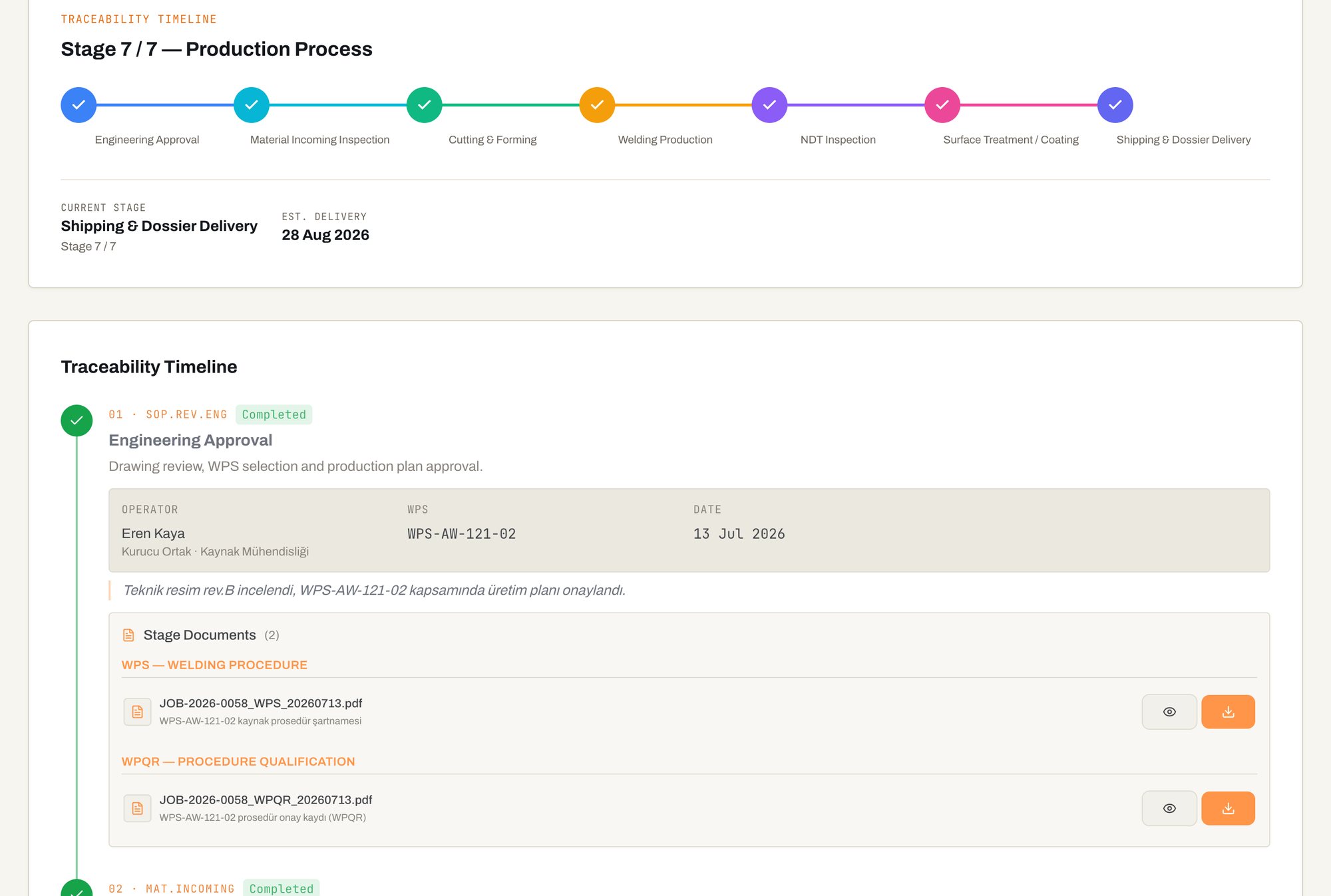
portal.armaweld.com/siparis/JOB-2026-0034
ArmaWeld customer portal screen: Traceability timeline
04 / 09

Traceability timeline

In the order detail, every stage is recorded together with who did it and when.

  • Operator, date and notes at every stage
  • The WPS number used in the welding stage
  • Stage documents (dimensional report, WPS, welder qualification): view or download
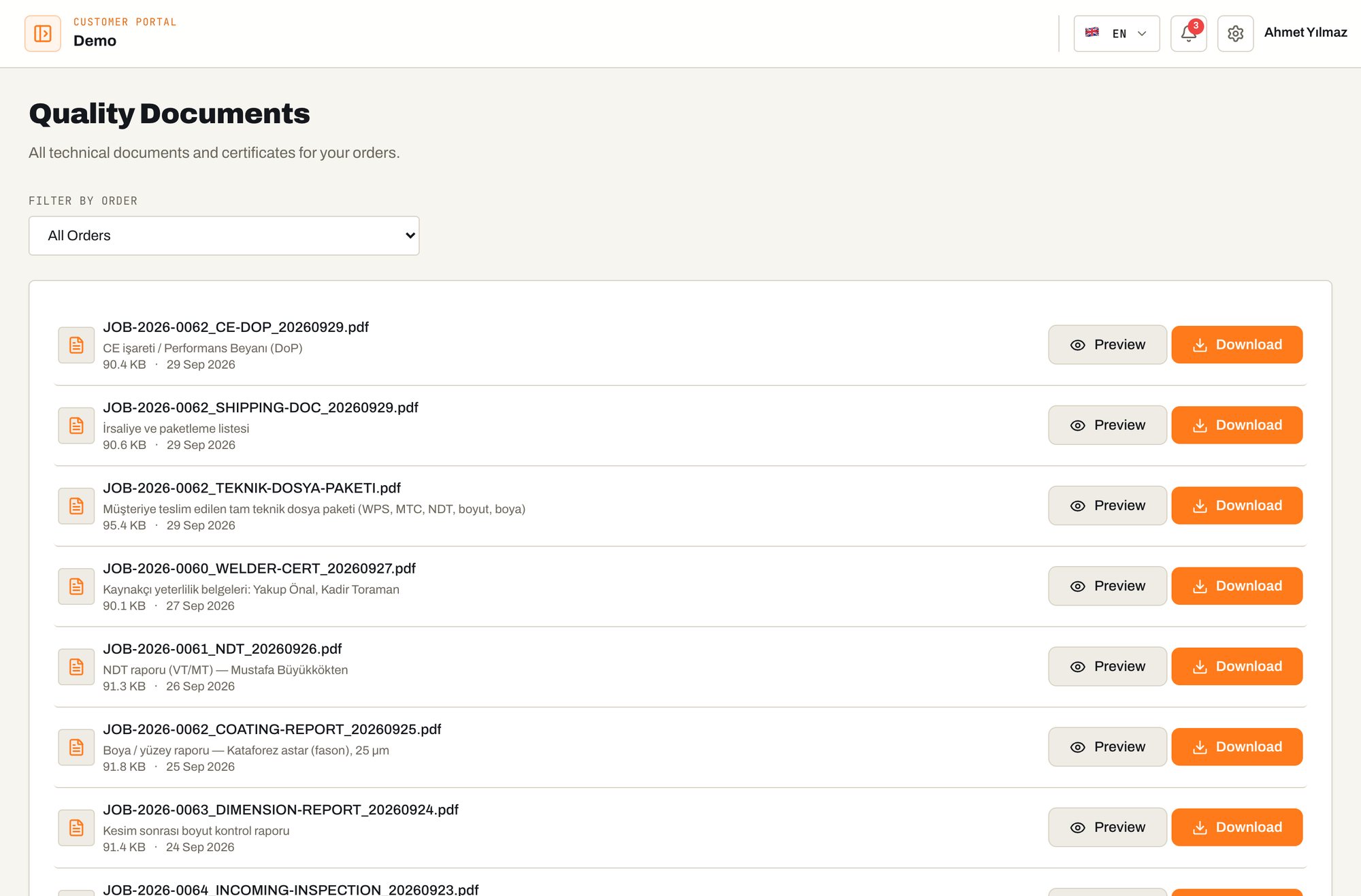
portal.armaweld.com/belgeler
ArmaWeld customer portal screen: Quality documents
05 / 09

Quality documents

All technical documents and certificates for your orders in a single archive.

  • WPS, WPQR, EN 10204 3.1 material certificates, NDT reports, welder certificates, incoming inspection and dimensional reports
  • Filter by order
  • View and download as signed PDFs
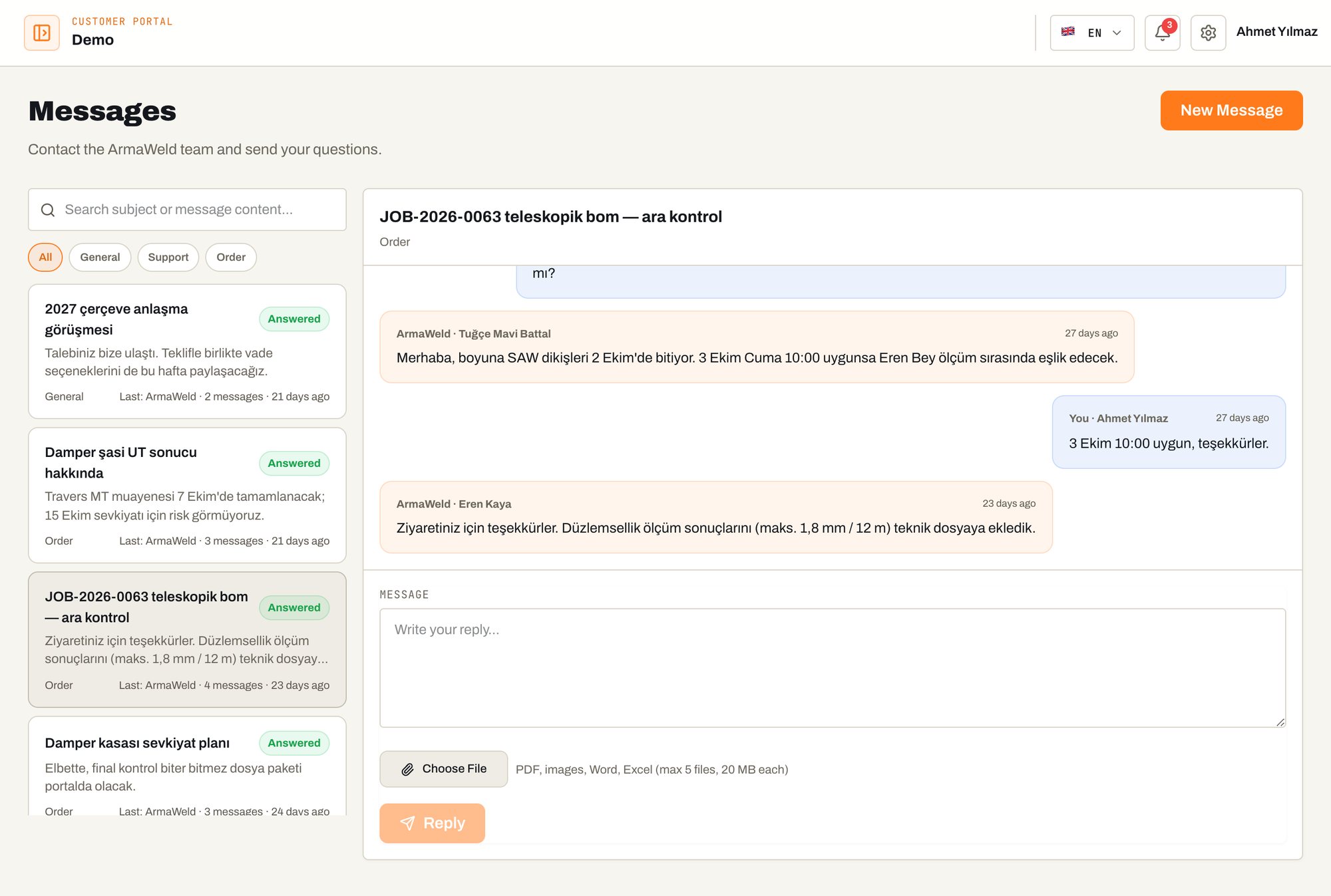
portal.armaweld.com/mesajlar
ArmaWeld customer portal screen: Order-based messaging
06 / 09

Order-based messaging

Your conversations with the ArmaWeld team stay attached to the job instead of getting lost in e-mail threads.

  • Every conversation linked to an order and a topic
  • Search by subject or order number, filter unread messages
  • Attach PDF, image, Word and Excel files
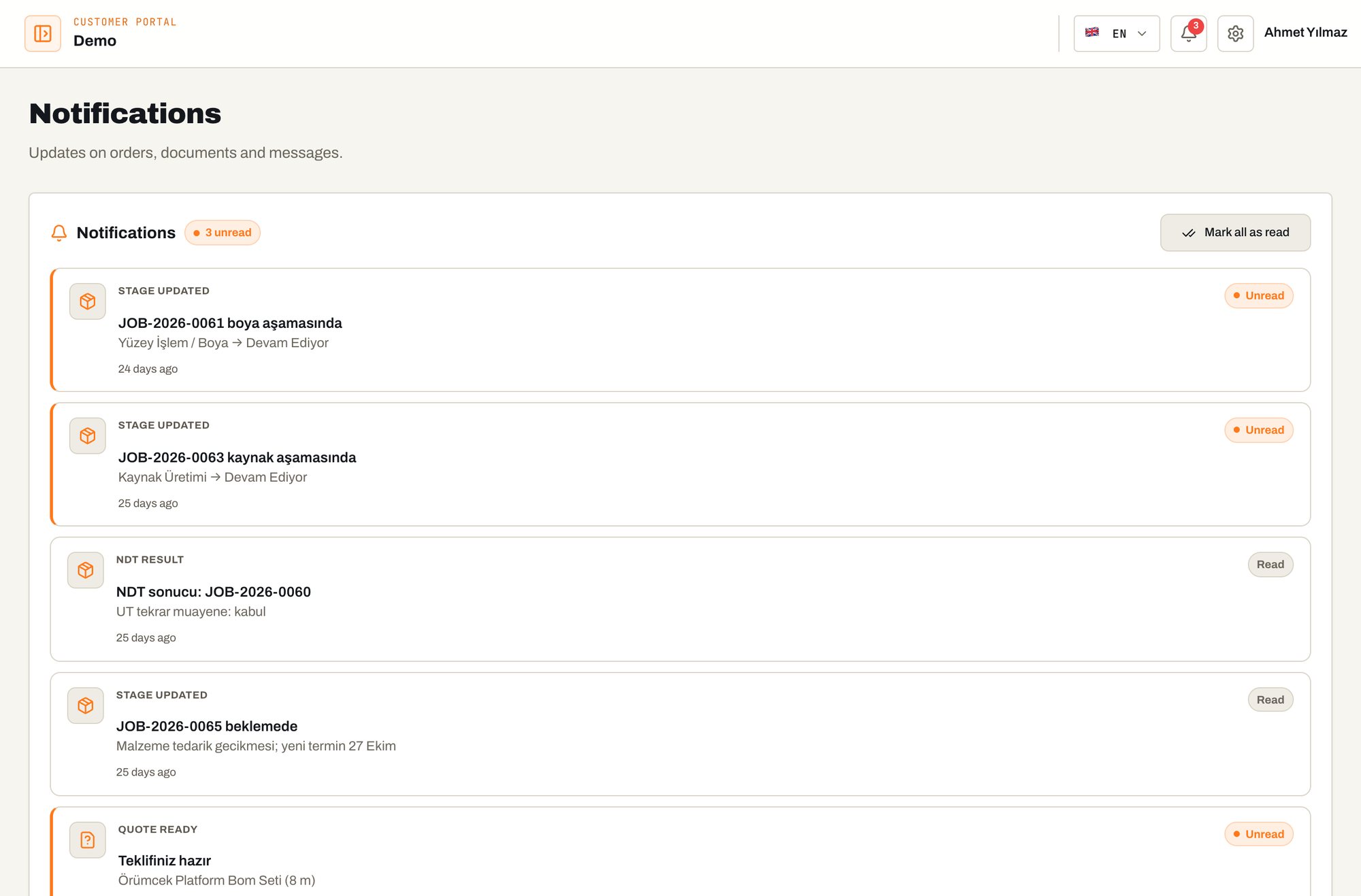
portal.armaweld.com/bildirimler
ArmaWeld customer portal screen: Stage and document notifications
07 / 09

Stage and document notifications

You are informed when a stage of your order is completed or a new document is added.

  • “Stage updated” and document notifications
  • Unread count and mark-all-as-read
  • From a notification straight to the order page
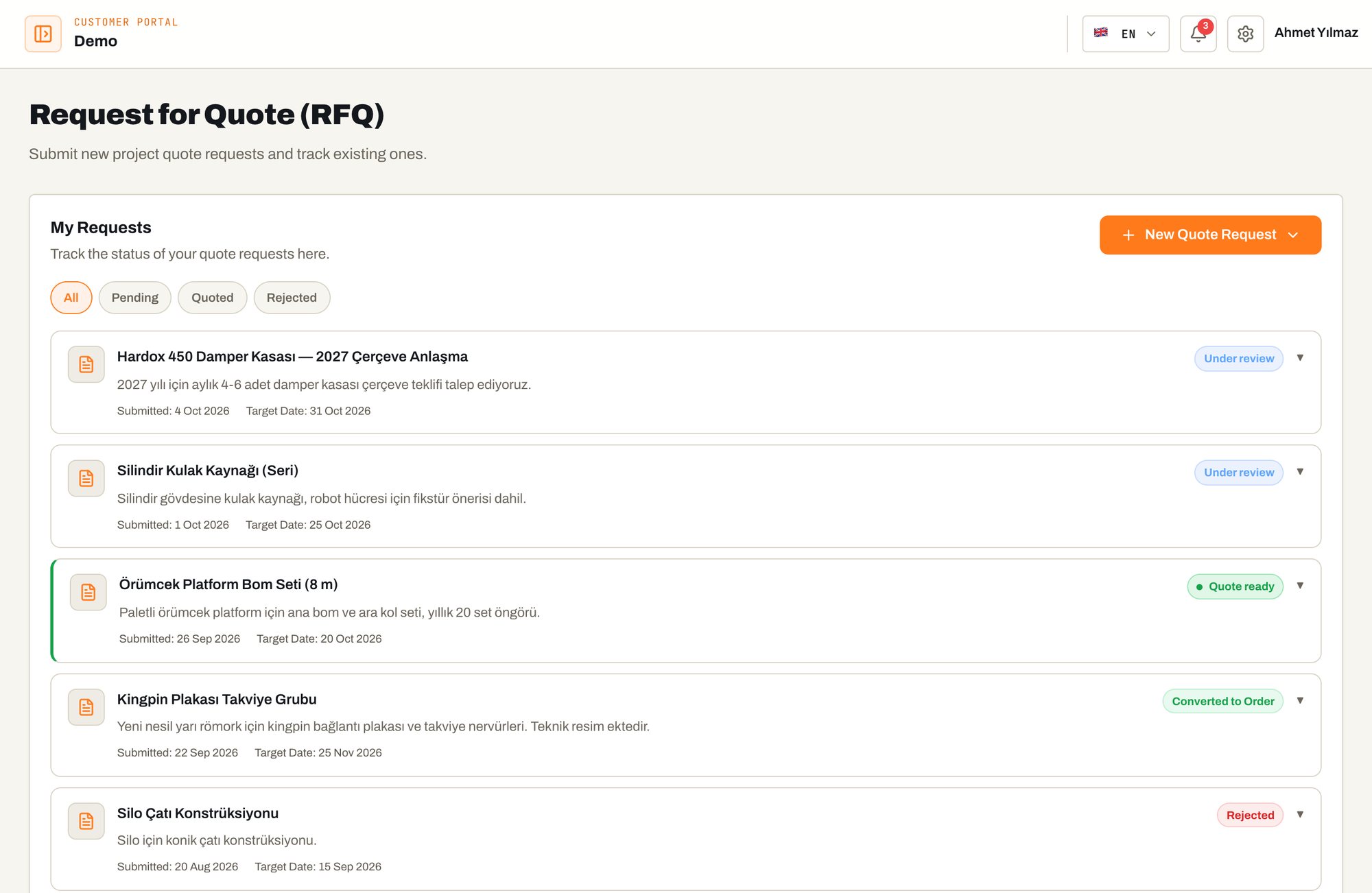
portal.armaweld.com/teklif
ArmaWeld customer portal screen: Quote requests from the portal (RFQ)
08 / 09

Quote requests from the portal (RFQ)

Open quote requests for new projects in the portal and follow the process live.

  • New request by uploading DWG / DXF / PDF
  • Request status: pending, quoted, converted to order, declined
  • Request history with submission and target dates
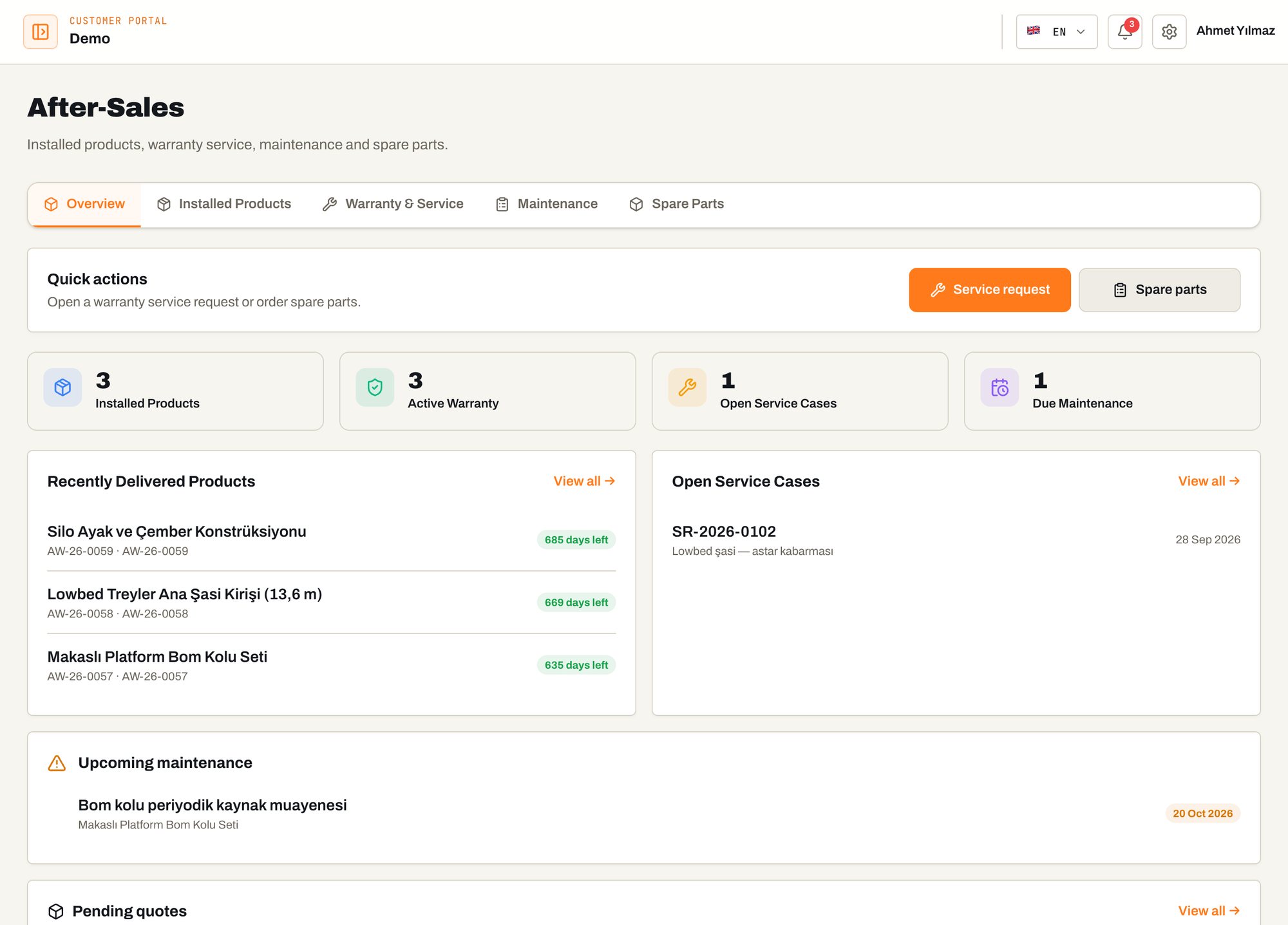
portal.armaweld.com/satis-sonrasi
ArmaWeld customer portal screen: After-sales
09 / 09

After-sales

Delivered products remain tracked in the portal after delivery.

  • Installed products with serial numbers, active warranties
  • Warranty and service requests, maintenance tracking
  • Spare part requests
03 / Who gains what

One record, three different teams.

Purchasing

Sees lead-time risk early and plans on real data — no phone calls to ask about order status.

Quality / Engineering

Reviews and approves WPS, NDT and dimensional reports before shipment; missing documents show up before delivery.

Management / Audit

Manages the supplier on evidence; presents documents from the archive in one click during audits.

Security and confidentiality

TLS-encrypted connectionRole-based accessRegular backupsCovered by a confidentiality agreement

Your portal account opens with your first order.

Send your technical drawing and receive a comprehensive quotation within 48 hours, including welding process, WPS and NDT plan.